Give every subscriber their own discount code. It really expires.
Expiring Codes adds an Expiring offer step to your Kit automations. Each subscriber gets a one-use code made in your Stripe or Paddle account, with a deadline your checkout enforces. When they use it, Kit tags them, so your reminders skip people who already bought.
You can install it as soon as it's listed.

Connect your checkout
Paste a Stripe restricted key or a Paddle API key that can only make discounts.
Add the step
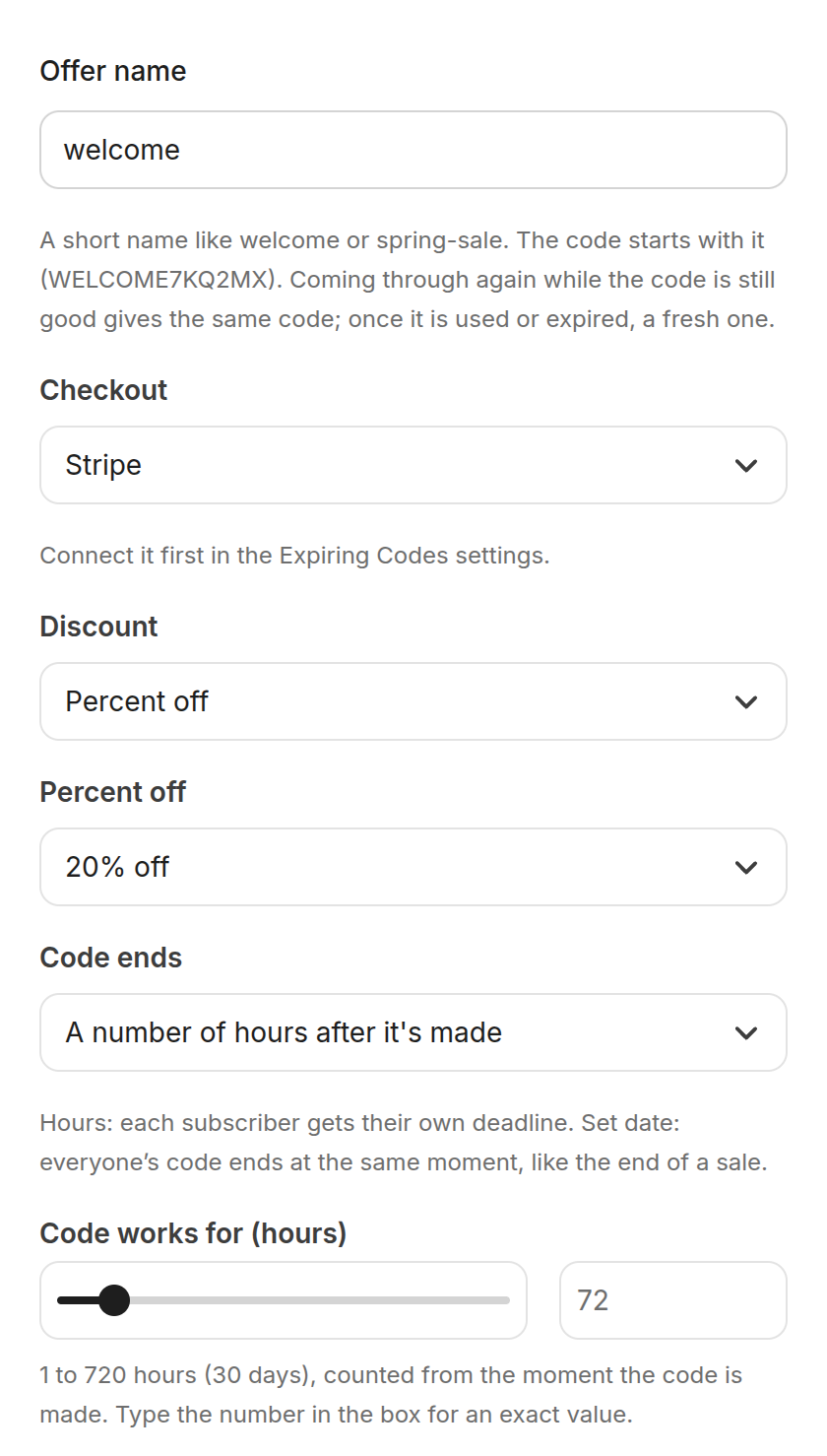
Drop "Expiring offer" into a Visual Automation. Pick the discount, and end it after a number of hours or on a set date.
Send the email
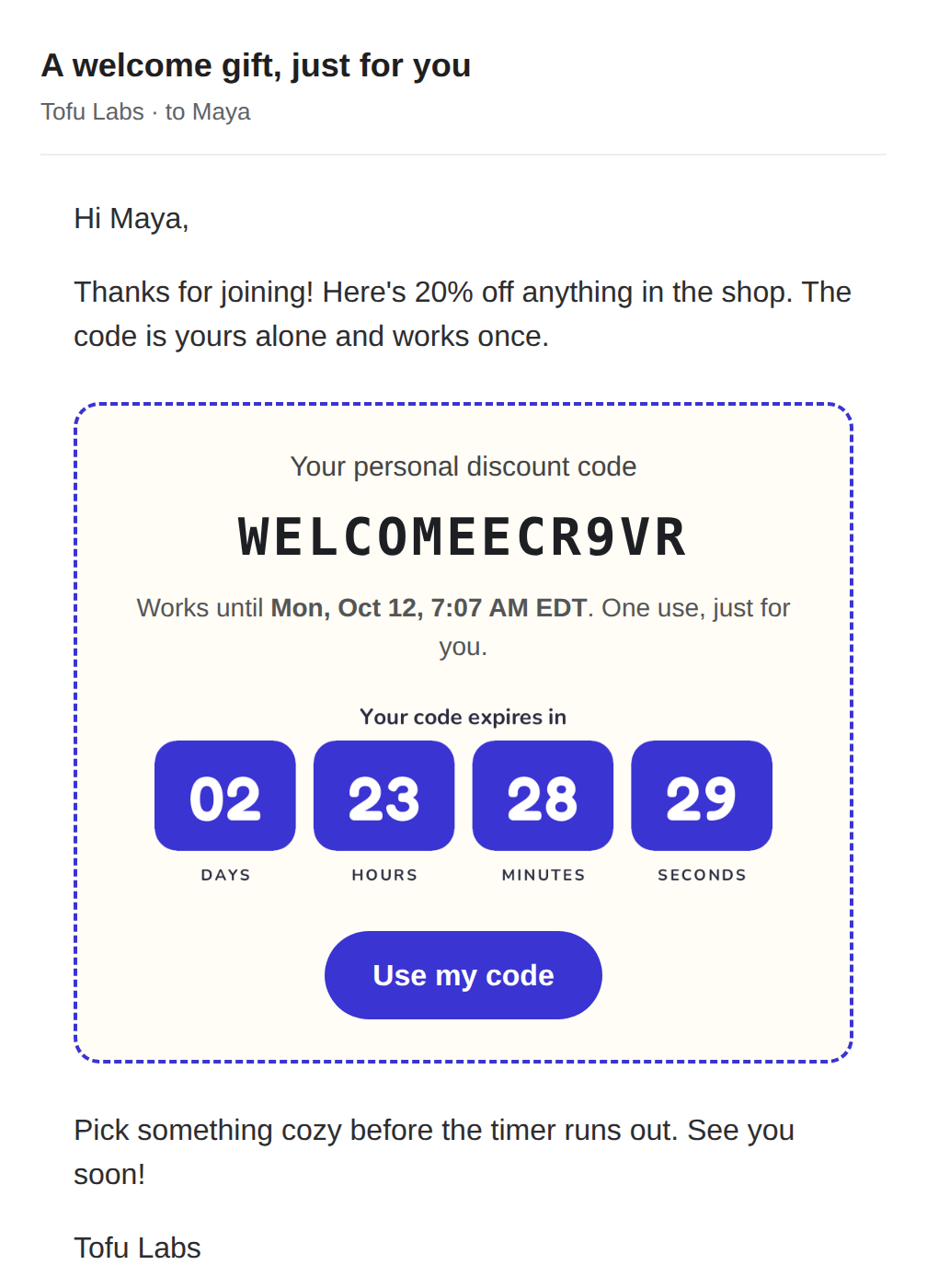
Add the "Expiring code" block. Each reader sees their own code, a countdown and a button that fills the code in at checkout.
Know who used it
Every 15 minutes we ask Stripe or Paddle which codes were used. Your dashboard shows made, used and expired for each offer, with a CSV export.
Reminders that skip buyers
A used code tags the subscriber "Used code: welcome" in Kit. Add a "has tag" condition and your last-call email only goes to people who haven't bought.
A countdown in the email
Under the code, a timer shows that subscriber's own time left, in any time zone. It counts down for a minute after each open, then holds. The button fills the code in at your Stripe Payment Link.
Why a code and not just a timer?
A countdown timer on its own only changes what a page shows. The checkout behind it keeps taking the discount, and one shared code gets passed around long after the deadline.
Here, Stripe or Paddle holds the expiry date and the one-use limit. The deadline in your email is the one your checkout uses, to the minute.
- Percent off, or an amount off in USD, EUR, GBP, CAD or AUD
- Ends a number of hours after it's made, or on a set date
- For subscriptions: the first payment, the first few months, or every payment
- Optional: only certain products, or (Stripe) a minimum order
- Ready-made Kit automations (welcome gift, flash sale, thank-you code) once Kit lists the app; a five-minute recipe in the guide until then
Questions
Which checkouts work?
Stripe (Payment Links, Checkout, invoices: anywhere a customer can enter a promotion code) and Paddle Billing. Test keys work too (Stripe test mode, Paddle sandbox), so you can try the whole thing before real money is involved.
What does Kit get?
Four custom fields on each subscriber who reaches the step: offer_code, offer_expires_at, offer_expires_text (like "Fri, Oct 10, 6:00 PM EDT", in your Kit time zone) and offer_used, plus the tag "Used code: offer name" once they use it. Use them anywhere Kit takes personalization, or drop in the ready-made email block.
Can it discount a subscription?
Yes. Choose whether the discount covers the first payment, the first few months, or every payment. You can also limit it to certain products.
What if someone goes through the automation twice?
While their code is still good, they get the same code and deadline back. If they already used it or it expired, they get a fresh one.
Do you see my subscribers' emails?
No. We only use subscriber ID numbers and never ask Kit for emails or names. Details in the privacy policy.
What does it cost?
Free for 25 codes a month. Starter is $29 a month for 1,000 codes. Pro is $69 a month for 10,000. On a paid plan a busy month gets up to 20% extra codes at no charge. See pricing.