Your checkout and your Kit list, finally talking.
Checkout Sync records every sale on the buyer's Kit profile as a real purchase. Refunds, cancellations and failed payments come through too, so each one can start the right email, like a friendly "your card didn't go through".
Lemon Squeezy Paddle Polar Stripe
Your payment for Budget Club didn't go through
Hi Maya,
Your latest payment of $12.00 for Budget Club didn't go through. That usually means a card expired or the bank declined it.
Update your card
If something else is going on, just reply and I'll help.

Connect your checkout
Paste a Paddle or Stripe key and we add the webhook for you. For Lemon Squeezy or Polar, paste one URL and a secret.
Add an event to an automation
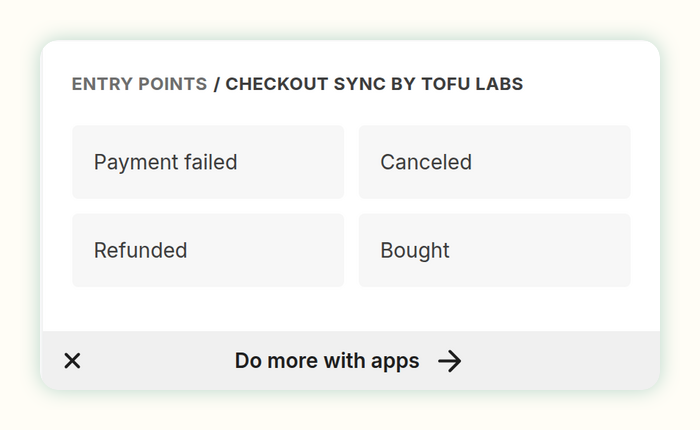
In any Kit Visual Automation, add a Checkout Sync event: Bought, Refunded, Canceled or Payment failed. Then write the email.
Send a test sale
One button sends a test to your own Kit address and starts your automation, so you get the email before a real buyer does.
Save the payments that fail
When a renewal is declined, Kit gets a Payment failed event with the buyer's own update-your-card link. Your dashboard counts how many paid again within 30 days.
Bring your past customers
Import the last 30 days, 90 days, a year or everything. Each old sale becomes a Kit purchase with its real date. Imports never set off automations and don't count toward your plan.
Tags and fields for segments
Buyers get a Customer tag and one for what they bought. Three custom fields, like checkout_status, let you build a segment of active members or past buyers.
The emails that earn their keep
Payment failed. A kind note with a link to update their card, before the subscription lapses.
Canceled. Say goodbye, ask why, or make a win-back offer while they still have access.
Refunded. Stop the upsell sequence for someone who just asked for their money back.
Bought. Welcome new customers with the onboarding emails for the exact product they bought.
How it compares
Fair notes on the other ways to get checkout events into Kit. Plenty of shops use them happily.
Zapier or Make
They can connect almost anything, and you build each step yourself. Turning a sale into a real Kit purchase, firing Kit automation events with merge tags, and handling refunds, retries and duplicates means custom API steps you set up and look after.
Checkout Sync: all of that is built in. Paste a key or a URL and it works, free for 25 sales a month.
Kit's own Stripe and Lemon Squeezy connections
Free and good for getting buyers onto your list. Kit's Stripe app records Stripe sales; Lemon Squeezy's adds the buyer's email and first name.
Checkout Sync: adds Paddle and Polar, real purchases with product and price, and Refunded, Canceled and Payment failed events you can start automations from (Canceled and Payment failed automations come with Starter). For Stripe it leaves sales to Kit's app by default and adds the rest.
Dunning tools
Dedicated failed-payment tools go further on rescue: smarter card retries, their own card-update pages and email sequences, in a separate tool.
Checkout Sync: your checkout still does the retries, and the rescue email comes from Kit, in your voice, next to the rest of your emails. Your dashboard shows how many failed payments were paid again.
Questions
Which checkouts work?
Lemon Squeezy, Paddle Billing and Polar for everything: sales, refunds, cancellations and failed payments. Stripe for refunds, cancellations and failed payments, and sales too if you want them. Kit's own Stripe app already records Stripe sales, so that switch starts off to avoid doubles.
Lemon Squeezy already connects to Kit. Why this?
Lemon Squeezy's built-in Kit integration adds the buyer's email and first name. Checkout Sync records the purchase itself, with product and price, and also passes on refunds, cancellations and failed payments.
What lands in Kit, exactly?
A purchase on the buyer's profile, tags you can rename or turn off, three custom fields, and four automation events. In an email you can use details like {{ automation.checkout_sync.failed.update_payment_url }}. See them all.
What if a buyer isn't on my list?
You choose: add every buyer, add them but tag the ones who didn't opt in to marketing, or only update people already on your list. Which one fits.
What does it cost?
Free for 25 sales a month. Starter is $29 a month for 1,000 sales, Pro is $69 a month for 10,000. Refunds, cancellations, failed payments, tests and imports never count. On Free, Canceled and Payment failed are recorded and tagged, and their automations start on Starter. See pricing.
Can I try it before a real sale?
Yes, on every Checkout Sync plan. Press Send a test sale or Test failed payment in your settings. It tags your own Kit profile "Checkout Sync test" and starts your Checkout Sync automations, so the email lands in your inbox. It saves no purchase and doesn't count.