 RowDocs
Every row of your sheet, a finished document.
RowDocs fills a Google Docs or Slides template with each row of a Google Sheet or Form response, saves it as a Doc, Slides deck or PDF in your Drive, and can email it. Certificates, invoices, offer letters, report cards: set it up once, then it runs by itself.
Get the free certificate template

RowDocs isn't in Google's add-on store yet, so you can't install it just yet. Leave your email and we'll write to you the day it's ready.
One email on launch day, then we forget your address. Privacy
| Name | Score | RowDocs status |
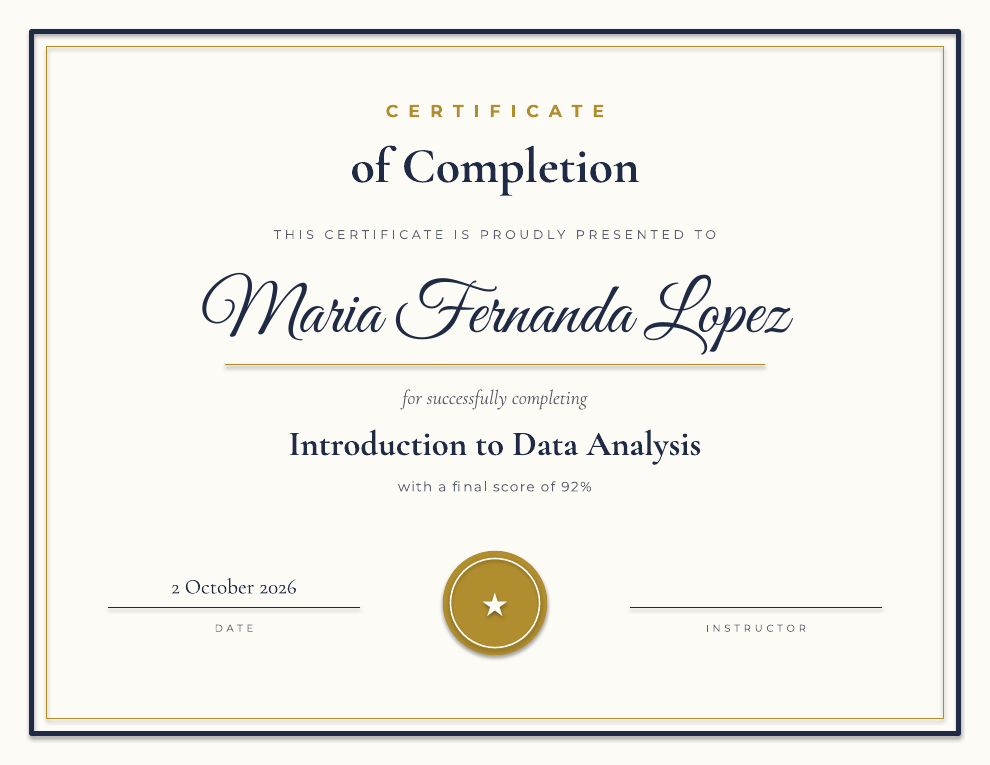
| Maria Fernanda Lopez | 92% | PDF emailed |
| James Okafor | 85% | PDF emailed |
| Aiko Tanaka | 64% | Skipped |
Rule: only scores of 80% or more get a certificate.

What it looks like in Google Sheets
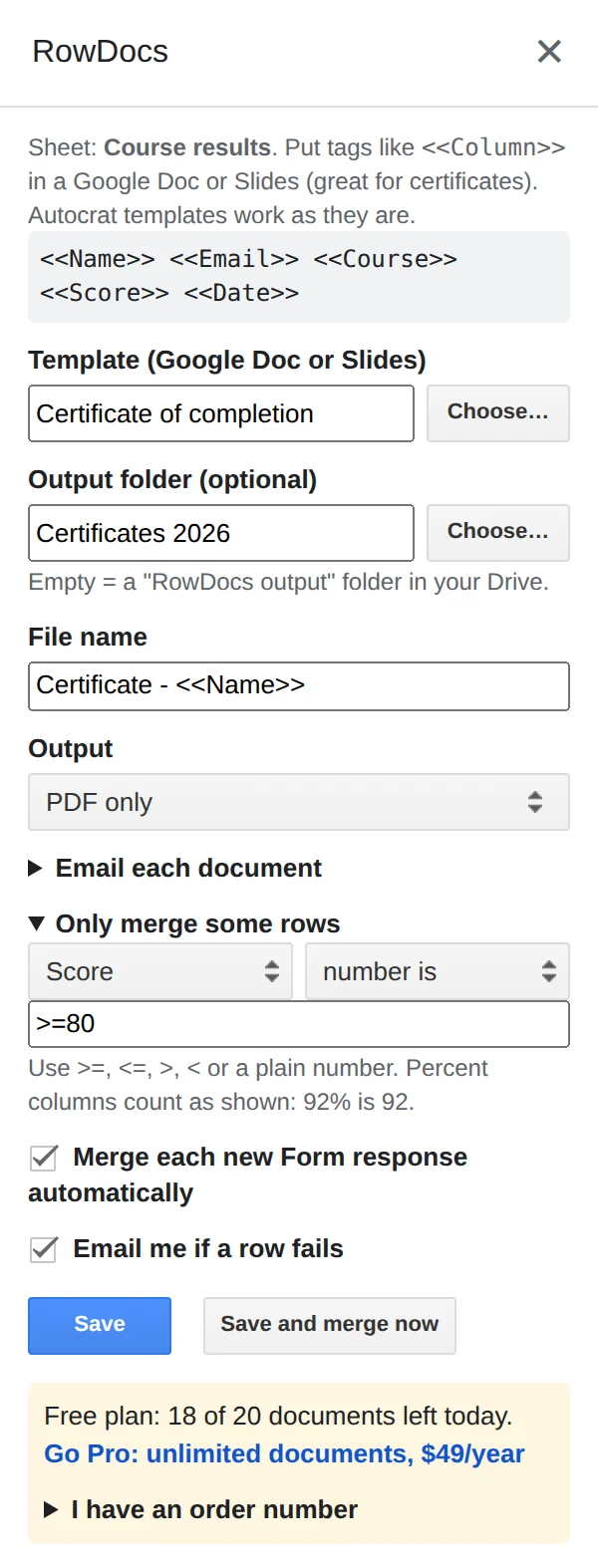
RowDocs lives in a side panel in your sheet: Extensions › RowDocs › Set up merge.
- Pick a template and a folder. Any Google Doc or Slides file with <<tags>> for your column names.
- Name the files and choose the format. PDF, an editable Google file, or both. Open Email each document to send each one from your own account.
- Choose when it runs. Click Save and merge now, or tick Merge each new Form response automatically and let it run by itself.
Each row then gets its status and links in new columns next to your data:
| Name | Merge Status | Merged PDF |
| Maria Fernanda Lopez | Merged 2026-10-02 09:14 | drive.google.com/…/1K_y4k |
| James Okafor | Merged 2026-10-02 09:14 | drive.google.com/…/1K1Kcp |
Your Autocrat templates just work
Same <<Column Name>> tags, so switching takes minutes, not a rebuild.
Runs on form submit
New Google Form response in, document and email out. No button to press.
Only the rows you want
Merge rows that match a condition, like Status is "Approved", and skip the rest.
Links written back
The document link and status go into your sheet, so you always know what was sent.
Formatting built in
<<Amount|number:2>>, <<Date|date:d MMMM yyyy>>, <<Name|upper>>.
Plain about access
RowDocs opens only the template you pick and the files it makes. Google's permission screen words this more broadly, so we list every permission and why. It never reads your inbox.
Free to start
20 documents a month free, forever. Pro removes the limit for $79 a year, with a 7-day free trial. See pricing.